Step-by-Step Feature Walkthroughs
Submitting an Official Enquiry
How to use the Enquiry Form
If the AI assistant cannot answer your question, or if you need to contact the administration directly, you can use the Official Enquiry Form.
- Trigger the Form: The form usually appears when the chatbot suggests it, or you can request it by typing "I want to make an enquiry".
- Fill in Details: Enter your Name, Email, and Phone Number so we can get back to you.
- Write your Message: Clearly state your question or issue in the message box.
- Submit: Click the blue 'Submit' button to send your enquiry directly to our support staff.
Note: Please ensure your email address is correct, otherwise we will not be able to reply to you.
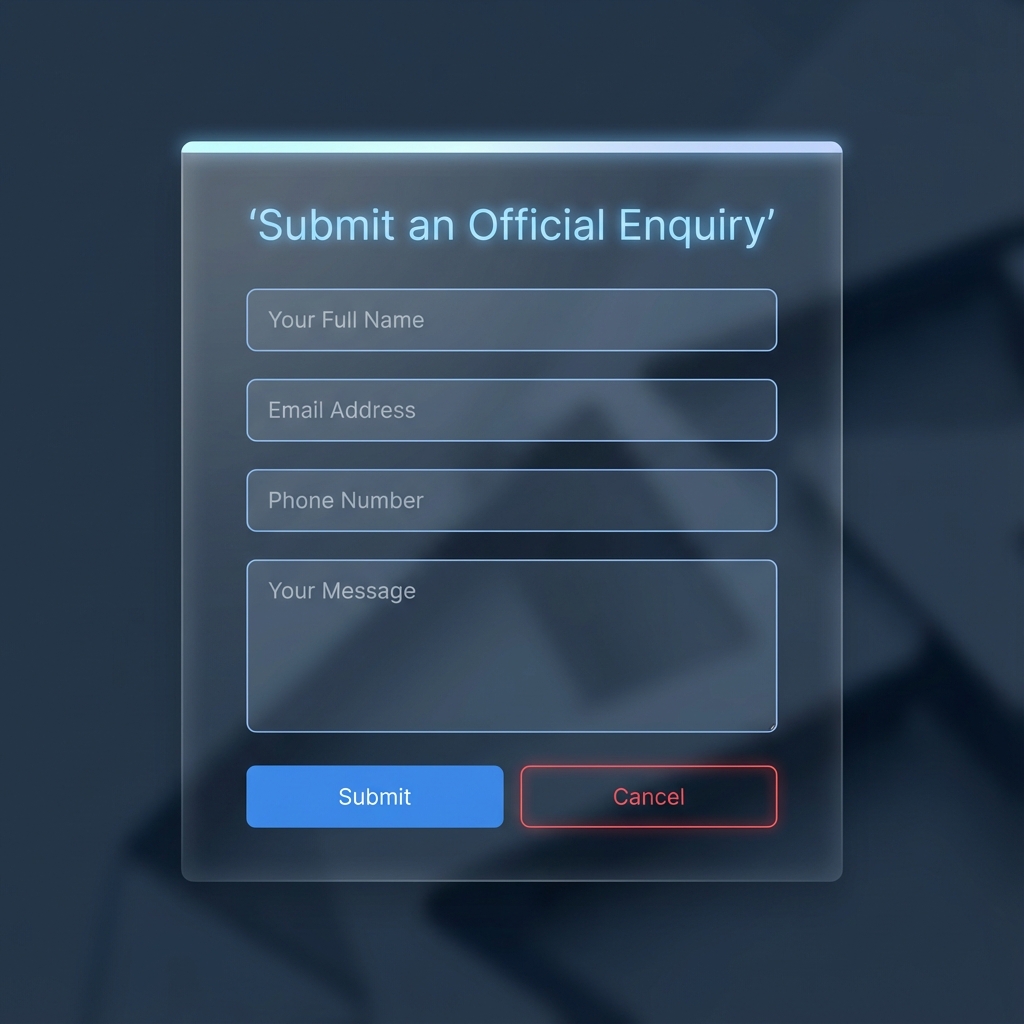
Figure 1: The Official Enquiry Form Interface